HAZECO Bill Payment
Now you can pay your HAZECO (Hazara Electric Supply Company) bill from the comfort of your home. It is safe, fast, and very easy. All you need is your phone or computer.
This guide will show you how to pay your bill online using mobile apps and bank accounts.
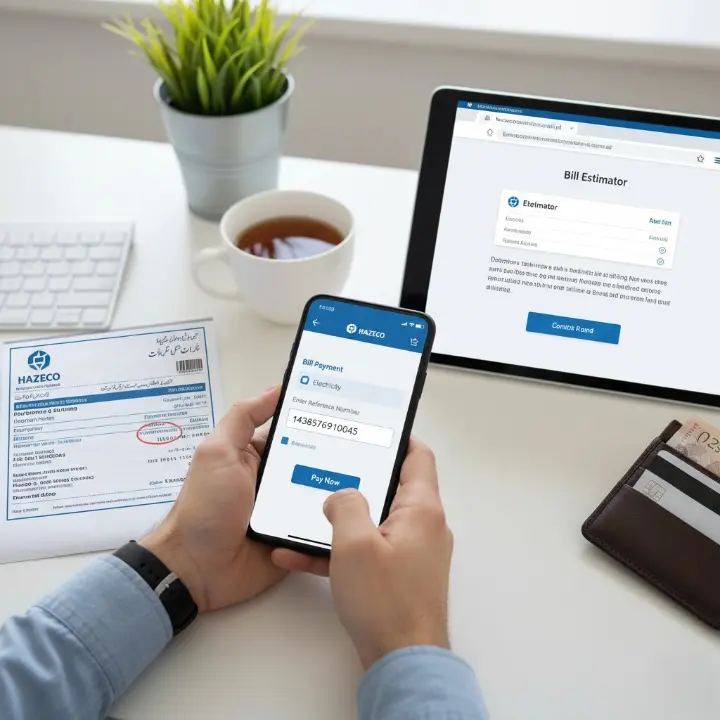
How to Pay Your HAZECO Bill Online
There are two main ways to pay your bill online. Both are very simple.
1. Using Mobile Payment Apps (The Easiest Way)
The most popular way to pay bills is with mobile wallet apps. These are very easy to use.
- Easypaisa
- JazzCash
- Upaisa
- SadaPay / NayaPay
How to pay with these apps (the steps are almost the same for all):
- Open your app (like Easypaisa or JazzCash).
- Go to the “Bill Payment” section.
- Tap on “Electricity”.
- Find “HAZECO” from the list of companies.
- Type your 14-digit Reference Number (you can find this on your bill).
- The app will show you your bill amount. Check the name and amount to make sure it is correct.
- Enter your account PIN to confirm the payment.
- That’s it! You will get a success message and a digital receipt.
2. Using Your Bank’s Mobile App or Website
If you have a bank account, you can also pay your HAZECO bill for free using your bank’s app or website.
Almost all major banks in Pakistan support this, including:
- HBL (Habib Bank Limited)
- UBL (United Bank Limited)
- MCB (Muslim Commercial Bank)
- ABL (Allied Bank Limited)
- Meezan Bank
- Bank Alfalah
- …and many others!
The steps are just like the mobile apps:
- Log in to your bank’s mobile app or website.
- Find the “Bill Payment” or “Pay Bills” option.
- Choose “Electricity” and select “HAZECO” from the company list.
- Enter your 14-digit Reference Number.
- The bank will show you the bill details.
- Confirm the payment. You will get an SMS from your bank.
What You Need to Pay Your Bill
You only need two things:
- Your 14-digit Reference Number: You must have this. You can find it on any of your old or new electricity bills.
- An Account: You must have an account with Easypaisa, JazzCash, or any bank.
Other Ways to Pay Your Bill
If you do not want to pay online, you can still pay your bill in person at these places:
- Any NADRA e-Sahulat shop
- Any commercial bank branch (like HBL, UBL, ABL, etc.)
- Your nearest Post Office
Why Pay Online?
- It saves time: No more traveling and waiting in long queues.
- It’s available 24/7: You can pay your bill anytime, even at night or on the last day.
- It’s safe: You get an instant digital receipt, so you have proof of payment.
First, check your bill on our website to see how much you have to pay. Then, use your favorite app to pay it in just one minute!